Hydratec Inc.

Need to save a card for later?

Create a bookmark folder in your browser of choice (Chrome, Firefox...), and save individual cards in your bookmarks to view here later.

Standalone HydraBID (Location)

Description:

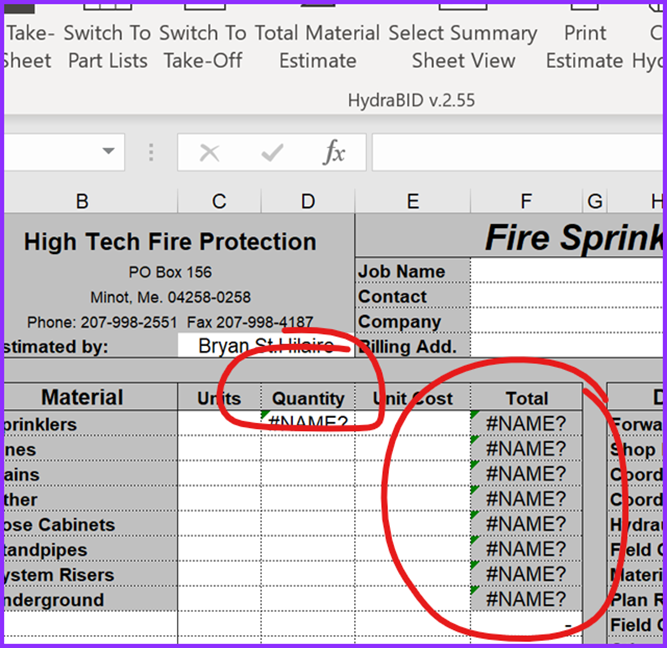
Certain cells in the HydraBID summary sheet were displaying #NAME? instead of expected totals.

Solutions:

Cause:
  • The problem occurs when the HydraBID project Excel file is saved in a foreign location (e.g., OneDrive).
  • Excel updates formula references to include the full path, breaking the link to the original add-in (HydraXL.xla in C:\H40\Prog\XLEST).
Solution:
  • Launch HydraBID from its original location (C:\H40\Prog\XLEST).
  • Update the desktop shortcut to point to the correct folder.
  • If only a corrupted file exists:
    • Perform search and replace to remove foreign path references, leaving just GHT.
Updated: Jan. 9, 2026, 4:42 p.m. Created: Jan. 9, 2026, 4:37 p.m.