Need to save a card for later?
Create a bookmark folder in your browser of choice (Chrome, Firefox...), and save individual cards in your bookmarks to view here later.

AutoCAD Based Installation (Ribbon/Toolbar/Location)
Description:
During the HydraCAD install, you get an error saying, "InstallShield Wizard - Unable to find HKEY_CLASSES_ROOT\.DWG registry key. You may need to repair AutoCAD or reinstall it
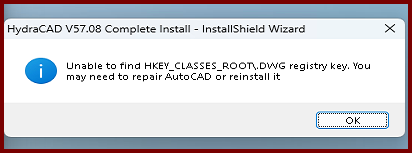
Likely due to a version of AutoCAD was installed first and another was uninstalled afterward. Autodesk didn't clean up the registry properly.
It may not be necessary to uninstall unused versions of AutoCAD at all, but if you decide to do it regardless, it's recommended you uninstall first, then install the other version you need.
Click OK on the dialog window. They Hcad install should continue through, however it likely won't setup the HydraCAD profile properly.
You'll have to manually setup the profile.
See this document starting from step 1B.
C:\HES\HydraCAD\Ver50\Docs\Installation Documents\Configuring HydraCAD Version ##.PDF