Advanced Search
Total results: 1342
* On smaller devices swipe left to view hidden table data
| Ribbon/Toolbar (software) | Button | Function | Error Type | Description | ||
|---|---|---|---|---|---|---|
| Ribbon/Toolbar (software) | Button | Function | Error Type | Description | ||
| Card 1371 View | HydraCAD (Revit Based) | Connect Pipes | Raise Pipe | Command Failure For External Command | Revit could not complete the external command... Curve length is too small for Revit's tolerance
|
|
| Card 1370 View | HydraLIST (Revit Based) | Auto Stocklist | None | Hydralist Does Not Open | HydraLIST completes listing process, but will not open. |
|
| Card 1086 View | HydraCAD (Revit Based) | Hangers | None | None | Hangers dialog won't open: Unhandled exception has occurred... Object reference not set to an instance of an object
|
|
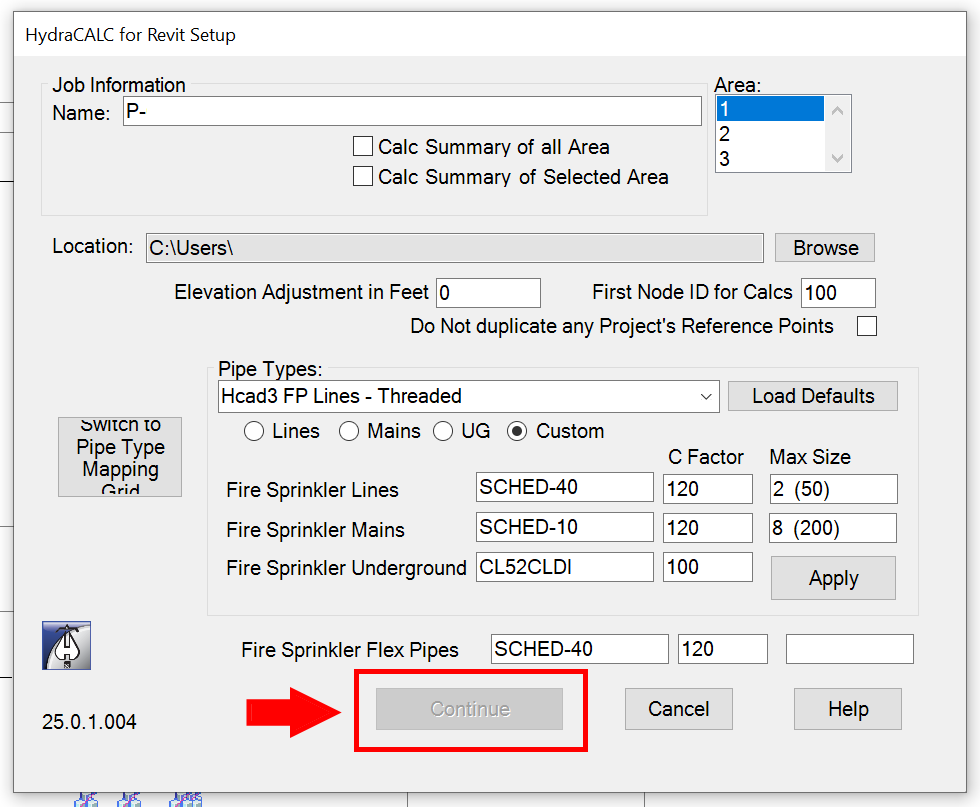
| Card 1369 View | HydraCALC (Revit Based) | Hydraulic Calculations | Continue | None | Continue button is Grayed out, and I cannot proceed with my calculation.
|
|
| Card 1368 View | Installation (Revit Based) | None | None | Command Failure For External Command |
No Ribbons / only the HydraCAD Ribbon appears, and no commands work.
|
|
| Card 562 View | HydraCALC (AutoCAD Based) | Print Final | None | Runtime Error | Printing a calc shows this error in HydraVIEW; File not found Runtime Error 53
|
|
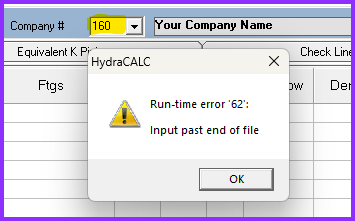
| Card 1367 View | HydraCALC (Standalone) | Open | Runtime 62 | Runtime 62 | When trying to open a calc job using [File|Open], you get a Run-time error '62': Input past end of file
|
|
| Card 1365 View | HydraCAD (Revit Based) | Hangers | Dialog Box | Missing Detail | When selecting Adjustable Ring Hangers for pipe sizes larger than 8" the detail does not show. |
|
| Card 1364 View | Build 3D Risers (AutoCAD Based) | Viewport | None | Other | While in your viewport, your riser is visible while in the 2D Wireframe view. However if you change the Visual Style to Conceptual or Shades of Grey/Shades of Gray, your 3D riser disappears. You may notice if re-appears if you zoom out.
|
|
| Card 1363 View | HydraVIEW (Standalone) | Setup | None | Unknown Filetype | After printing your data in HydraLIST, when HydraVIEW opens you attempt to change the default printer. You get an error "Page Setup - Unknown filetype found 'HLTF'"
|
|