Advanced Search
Total results: 1342
* On smaller devices swipe left to view hidden table data
| Ribbon/Toolbar (software) | Button | Function | Error Type | Description | ||
|---|---|---|---|---|---|---|
| Ribbon/Toolbar (software) | Button | Function | Error Type | Description | ||
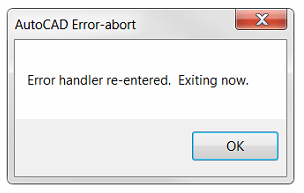
| Card 1305 View | Sprinklers (AutoCAD Based) | FSC Setup | None | Message Box | When attempting to create a new FSC definition, you get this error message. Clicking OK closes the command
|
|
| Card 1311 View | All products (Security and Licensing) | None | None | None | When a folder sent as a ZIP file is extracted, it's likely all of the files will be blocked by Windows. This prevents the files from functioning properly.
You can right-click each file, select PROPERTIES then GENERAL then click the UNBLOCK checkbox, however this may be time consuming if many files are blocked.
This method will describe how to unblock many files at once. |
|
| Card 1188 View | Launching HydraCAD (AutoCAD Based) | Opening | None | Unhandled Exception | When opening HydraCAD you get the error;
Exception in hcadmainbase.arx ARX Command Unhandled Exception c0000027 (c0000027h) at address aca746e7h
|
|
| Card 866 View | Launching HydraCAD (AutoCAD Based) | None | None | None | Drawing Setup dialog doesn't load No error but when the HydraCAD template is selected, it goes straight to the drawing and command prompt, it doesn't ask for the user to set the scale factor
|
|
| Card 1212 View | Ribbon Click (AutoCAD Based) | None | None | Fatal Error | Selecting any button from the AutoCAD ribbon creates the fatal error. Typing or using a toolbar does not create the error. AutoCAD Error Aborting FATAL ERROR: Unhandled e0434352h Exception at 6C6CCF19h
Sometimes followed by; The program is missing Tool Palettes and Ribbons. |
|
| Card 1307 View | Collaborate (AutoCAD Based) | None | None | None | Background changes to gray and navigating drawing becomes sluggish after using the Newforma Konekt add in. |
|
| Card 1308 View | Entitlement (Security and Licensing) | None | None | None | I can't find the 'Sentinel Product Key' for my Gemalto entitlement. |
|
| Card 1302 View | Sprinklers (AutoCAD Based) | FSC Insert | None | None | When connecting a hard pipe armover to a flexible sprinkler connection (FSC), the flex hose doesn't continue straight, instead it immediately turns 90° before curving back and down to the sprinkler head.
Even with setting the connection to OVER-DOWN
|
|
| Card 1301 View | Riser Nipples (AutoCAD Based) | Edit Riser Nipples | None | Other | When selecting a vertical pipe/riser nipple hydrapipe, the PROPERTIES window shows "no selection" instead of "hydrapipe"
You may notice that you cannot use the 'change length' command (CL) or cannot rotate riser nipple (RRT)
|
|
| Card 1299 View | HydraCAD (Revit Based) | Add Device | Opening | Initialization Failed | Initialization Failed... Could not find part of the path
|
|