Advanced Search
Total results: 1342
* On smaller devices swipe left to view hidden table data
| Ribbon/Toolbar (software) | Button | Function | Error Type | Description | ||
|---|---|---|---|---|---|---|
| Ribbon/Toolbar (software) | Button | Function | Error Type | Description | ||
| Card 545 View | Piping (AutoCAD Based) | Auto Line | None | No Connectable Heads | No connectable heads found within distance specified for the line illustrated, or heads were already connected ...
No connectable heads message comes up, even when there are obviously heads that can be connected. Can also be error stating Please re-select line away from other lines |
|
| Card 1454 View | Collaborate (AutoCAD Based) | Navisworks Toolkit | Export Piping To Navis | Properties Do Not Appear In Navis | In Navisworks 2024.2 to Navisworks 2025.3 (possibly a sub-version earlier or later), Properties for appended HydraCAD persistent models do not appear, and a Proxy Object notice is given. |
|
| Card 1067 View | Launching HydraCAD (AutoCAD Based) | Opening | None | Unhandled Exception | When opening HydraCAD, you get this error
Unhandled Exception...DAO32Server...
|
|
| Card 969 View | HydraLIST (Revit Based) | None | None | None | HydraLIST ribbon is missing in the Revit toolbar when opening a project file.
|
|
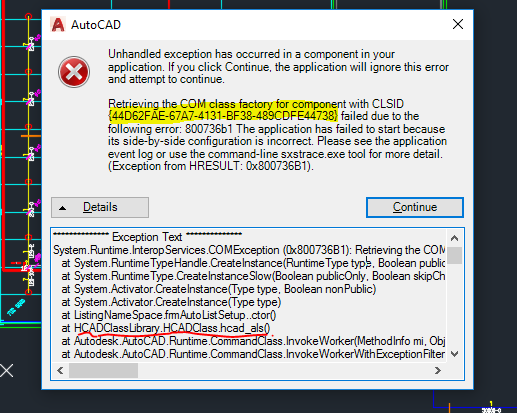
| Card 864 View | Launching HydraCAD (AutoCAD Based) | None | None | Unhandled Exception | When Opening HydraCAD or trying to list a drawing, you recieve any Error containing the following CLSID: 44D62FAE-67A7-4131-BF38-489CDFE44738
Or any of the following HRESULT error numbers: 0x800736B1
0x80040154
0x80070002
0x80080005
0x80029C4A TYPE_E_CANTLOADLIBRARY
|
|
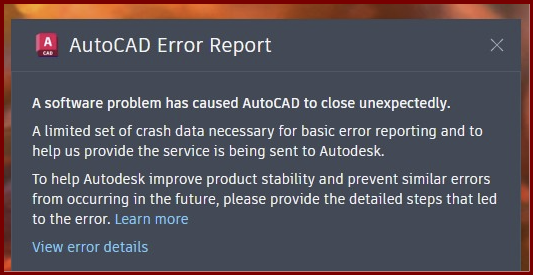
| Card 1372 View | Opening a Drawing (AutoCAD Based) | None | None | None | When opening AutoCAD, you get an error saying "a software problem has AutoCAD to close unexpectedly" Upon reviewing the file it's crashed on, it shows HCAD_MAKEFIGHANGERLIST as the culprit
|
|
| Card 1453 View | Launching HydraCAD (AutoCAD Based) | None | None | Unhandled Exception | When opening Hydracad you get the
following error: Unhandled exception has occurred
in a component in your application. If you click
Continue, the application will ignore this error and attempt to continue. Retrieving the COM class factory
for component with CLSID {44D62FAE-67A7-4131-BF38-489CDFE44738}
failed due to the following error: 80070005 Access
is denied. (Exception from HRESULT: 0x80070005
(E_ACCESSDENIED)). |
|
| Card 1451 View | 3D Modeling (AutoCAD Based) | Show System Model | None | Unhandled Exception | Raising to 3D and you get this error;
Exception Occured at AddURLToHyperlinks :: HydraHeads System.Runtime.InteropServices.COMException (0x80040154): Retrieving the COM class factory for component with CLSID {44D62FAE-67A7-4131-BF38-489CDFE44738} failed due to the following error: 80040154 Class not registered (Exception from HRESULT: 0x80040154 (REGDB_E_CLASSNOTREG)). |
|
| Card 1176 View | Piping (AutoCAD Based) | Move Line | None | Restart Command | When selecting the pipe to move in the move line command, you get the error; Error!! Restart command, and select a different pipe..
|
|
| Card 803 View | 3D Modeling (AutoCAD Based) | Show System Model | None | Fatal Error | When attempting to 'Show Fittings' (SHF command), user gets an AutoCAD Fatal Error. Create 3D Model causes a fatal error
Or no error at all. Autocad freezes then crashes without an error other than the AutoCAD Error Report
A software problem has caused AutoCAD to close unexpectedly |
|