AutoCAD Based Cards
Total: 734
* On smaller devices swipe left to view hidden table data
| Ribbon/Toolbar (Software) | Button | Function | Error Type | Description | ||
|---|---|---|---|---|---|---|
| Ribbon/Toolbar (Software) | Button | Function | Error Type | Description | ||
| Card 340 View | Hangers (AutoCAD Based) | Create 3D Hangers | None | None | Create 3D Hangers command did not created 3D hangers for the #01B hanger assembly but it did for all other hanger assembly types. #01B 3D hanger information is not in the DAT file. HydraCAD v50 |
|
| Card 347 View | Hangers (AutoCAD Based) | Create 3D Hangers | None | None | 3D hangers appear 'on the floor' Hangers |
|
| Card 440 View | Hangers (AutoCAD Based) | Insert One Hanger | None | None | Hangers are computer generated and there is no TOS deflines or the drawing was not raised first. creating |
|
| Card 258 View | Hangers (AutoCAD Based) | Insert One Hanger | None | None | Hanger length attribute is missing. The hanger inserts only the assembly number even if the HIDE NUMBER box is checked in the Hanger Setup. A V45 hanger block is in the drawing. It has only one attribute value & can display only the number. HydraCAD v50 |
|
| Card 247 View | Hangers (AutoCAD Based) | Insert One Hanger | None | None | 1. HydraCAD v45 SMaRT drawing in HydraCAD v50 bad argument HydraCAD v50 |
|
| Card 394 View | Hangers (AutoCAD Based) | Insert One Hanger | None | None | older or bad windows video driver file creating 52 |
|
| Card 293 View | Hangers (AutoCAD Based) | Insert One Hanger | None | None | ??? Connection Failed listing tags |
|
| Card 367 View | Hangers (AutoCAD Based) | Create 3D Seismic Braces | None | None | older or bad file inserting 52 |
|
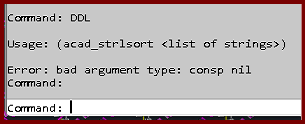
| Card 1475 View | Display (AutoCAD Based) | None | None | Bad Argument | Trying the DDL command gives the error; Usage: (acad_strlsort <list of strings>) Error bad argument type: consp nil
|
|
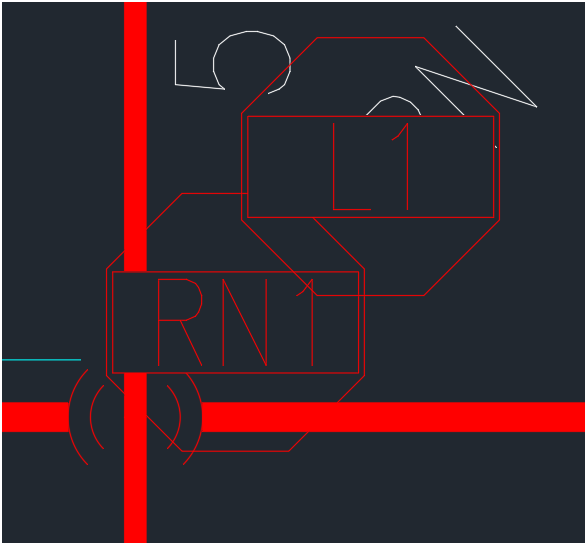
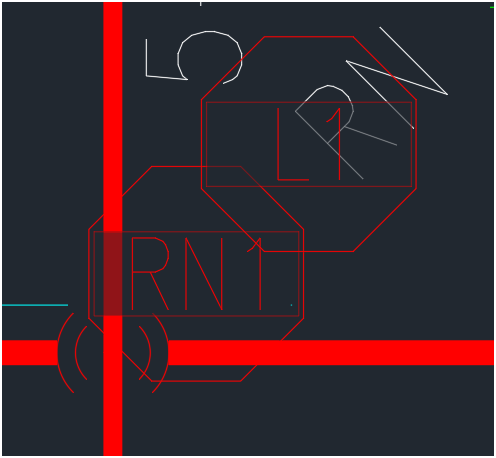
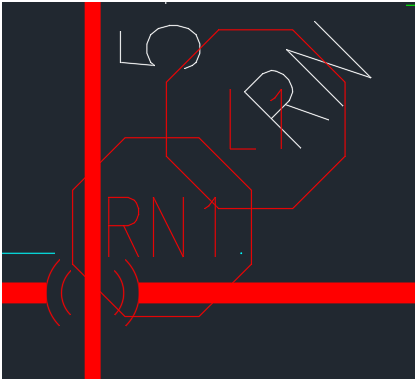
| Card 1448 View | Display (AutoCAD Based) | None | None | None | Changing the characteristics of wipeouts. Change the transparency of the wipeout mask from zero to 50%, or remove the wipeout completely. 0% TRANSPARENCY
50% TRANSPARENCY
DELETED WIPEOUT MASK
|
|