AutoCAD Based Cards
Total: 734
* On smaller devices swipe left to view hidden table data
| Ribbon/Toolbar (Software) | Button | Function | Error Type | Description | ||
|---|---|---|---|---|---|---|
| Ribbon/Toolbar (Software) | Button | Function | Error Type | Description | ||
| Card 811 View | Couplings (AutoCAD Based) | Insert Couplings | None | None | Pipe Diameter does not get adjusted. New pipe not sized. |
|
| Card 810 View | Couplings (AutoCAD Based) | Insert Couplings | None | Error: Bad Argument Type: Lentityp Nil | Error: bad argument type: lentityp nil |
|
| Card 392 View | Couplings (AutoCAD Based) | Insert Couplings | None | None | No error message but cutting in couplings breaks the pipe but does not insert the couplings block. |
|
| Card 474 View | Couplings (AutoCAD Based) | Insert Couplings | None | None | The diameter tag HANDLE is 0000 this number is used to determin if the pipe is sloped - yielding an incorrect pipe length. Move Line / Move Main make the diameter tag HANDLE be 0000 |
|
| Card 372 View | Couplings (AutoCAD Based) | Insert Couplings | None | None | Program has become "tired" |
|
| Card 249 View | Couplings (AutoCAD Based) | Insert Couplings | None | None | Interestingly PDMODE is set to 1. This means that there is no node point at the insertion of these sizes, so the sizes are not found. |
|
| Card 1454 View | Collaborate (AutoCAD Based) | Navisworks Toolkit | Export Piping To Navis | Properties Do Not Appear In Navis | In Navisworks 2024.2 to Navisworks 2025.3 (possibly a sub-version earlier or later), Properties for appended HydraCAD persistent models do not appear, and a Proxy Object notice is given. |
|
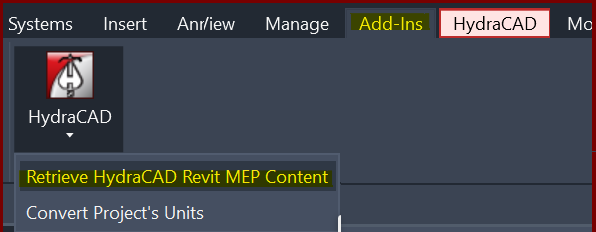
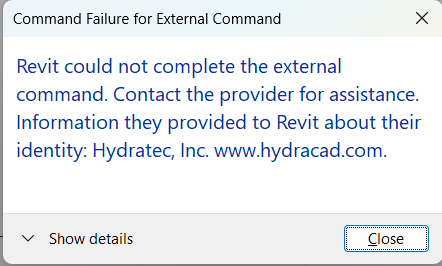
| Card 1418 View | Collaborate (AutoCAD Based) | Create Revit Mep Link To System Model | None | Revit Could Not Complete The External Command. | When Retrieving MEP content an error occurs. This is caused by a bad heads in the HydraCAD for AutoCAD project.
Command Failure for External Command
|
|
| Card 1307 View | Collaborate (AutoCAD Based) | None | None | None | Background changes to gray and navigating drawing becomes sluggish after using the Newforma Konekt add in. |
|
| Card 1089 View | Collaborate (AutoCAD Based) | Navisworks Toolkit | None | Unknown Command | When attempting to run the NWCOUT command, you get an 'unknown command' error message;
|
|