AutoCAD Based Cards
Total: 734
* On smaller devices swipe left to view hidden table data
| Ribbon/Toolbar (Software) | Button | Function | Error Type | Description | ||
|---|---|---|---|---|---|---|
| Ribbon/Toolbar (Software) | Button | Function | Error Type | Description | ||
| Card 1272 View | 3D Modeling (AutoCAD Based) | Show Model Errors | None | Crash | When raising to 3D, AutoCAD crashes with no error, no warning, it just closes. You can test this by closing all open drawings then starting a new drawing using the Hydratec template, "Hydracad Imperial Default". Draw one pipe 10' long (LN command). Place a length & 2" diameter on it (SZP command) Place a 10' AFF elevation mark on it (AFF command) Start the process of raising to 3D (S3D command). It will then crash out without warning around step 2 (something about sprinkler heads). |
|
| Card 1216 View | 3D Modeling (AutoCAD Based) | Persistent Model | None | None | When viewing your Persistent Model drawing, you see the clamshells/Pacman/bracket for the riser nipples/vertial pipes
|
|
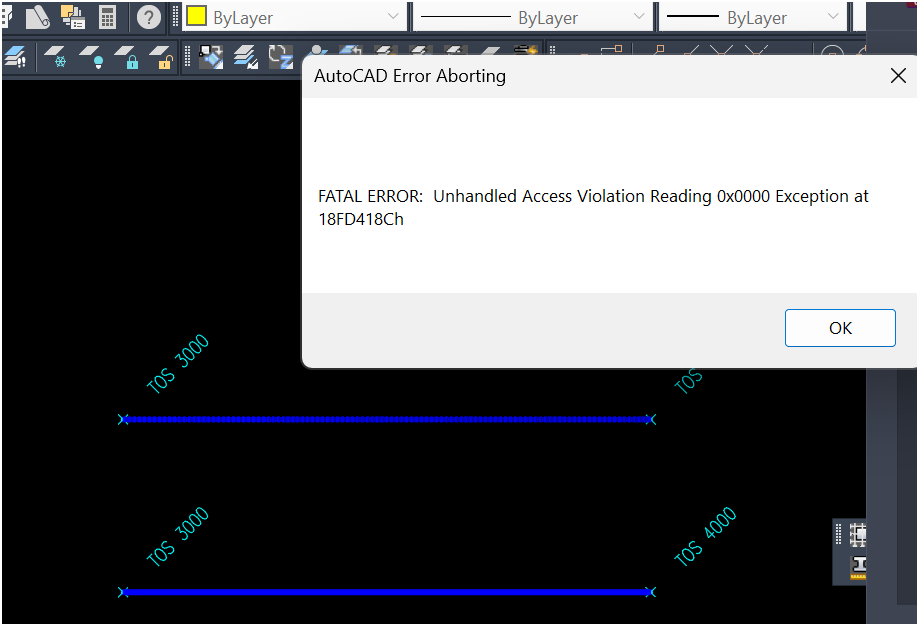
| Card 1158 View | 3D Modeling (AutoCAD Based) | Check Elevation | None | None | Elevation Check: Bad Defline(s) Corrupt TOS deflines detected Erase and re-insert any deflines with yellow circles at its ends then try again
FATAL ERROR Unhandled Access Violation Reading 0x0000 Exception at 3BC2E053h
|
|
| Card 1106 View | 3D Modeling (AutoCAD Based) | Show System Model | None | Unhandled Exception | While attempting to raise to 3D, you get this error message;
Exception Occured at AddURLToHyperlinks::HydraHeads
The drawing will still raise to 3D but you may not have sprinkler heads visible.
(TYPE_E_CANTLOADLIBRARY) 679327F1-F31E-488D-8FBC-124C4F6F588E DAO32ServerLib.DaoComObj |
|
| Card 1081 View | 3D Modeling (AutoCAD Based) | Show System Model | None | Please Switch To System Model | When attempting to create a 3D model, you get the error; Please switch to System Model to Annotate Drops and Sprigs plus System.NullReferenceException: Object reference not set to an instance of an object at HCADexports.RevitConversion.create_hydrapipes_from_db() at HCADexports.RevitConversion.create_hydrafittings_from_db(List'1 pipes, List'1 heads)
|
|
| Card 1044 View | 3D Modeling (AutoCAD Based) | Show System Model | None | Crash | While raising to 3D, AutoCAD just crashes. No error, no warning. In the status bar, it was working on Computer Generated riser nipples |
|
| Card 1014 View | 3D Modeling (AutoCAD Based) | Show System Model | None | Sprinkler On Floor | When making a 3D model, the sprinkler heads appear on the floor.
|
|
| Card 984 View | 3D Modeling (AutoCAD Based) | Show System Model | None | Internal Error: Enotopenforwrite | When attempting to create a 3D model, you get the error; AutoCAD Error Aborting INTERNAL ERROR: !dbobji.cpp@8262: eNotOpenForWrite
|
|
| Card 964 View | 3D Modeling (AutoCAD Based) | Check Elevation | None | Fatal Error | When attempting to use the Check Elevation tool, you get a fatal error
|
|
| Card 929 View | 3D Modeling (AutoCAD Based) | Show System Model | None | System Exception | When trying to raise to 3D, the following error message pops up; Autodesk.AutoCAD.Runtime.Exception: eKeyNotFound
and Exception Occured at AddURLToHyperlinks::HydraHeads
The drawing will continue to raise up to 3D, but there will be no 3D sprinkler heads shown |
|