All Cards
* On smaller devices swipe left to view hidden table data
| Ribbon/Toolbar (Software) | Button | Function | Error Type | Description | ||
|---|---|---|---|---|---|---|
| Ribbon/Toolbar (Software) | Button | Function | Error Type | Description | ||
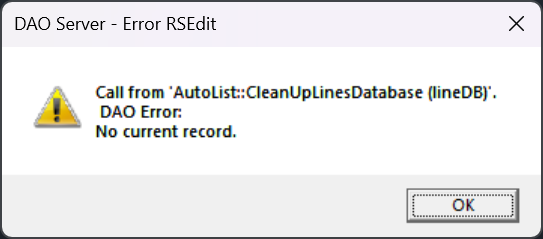
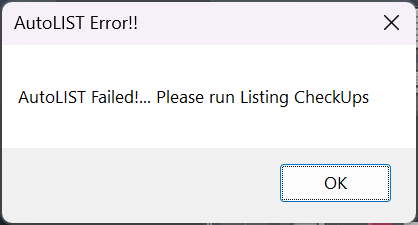
| Card 169 View | Listing (AutoCAD Based) | Start Autolist | None | Dao Error | While running AutoLIST, the process hangs when cleaning up lines database
DAO Server - Error RSEdit Call from 'AutoList :: CleanUpLinesDatabase (lineDB)'. DAO Error: No current record.
Then followed by the AutoLIST Failed! Please run Listing Checkups
|
|
| Card 267 View | 3D Modeling (AutoCAD Based) | Switch To Edit Mode | None | None | Vertical pipe issue. Switching back to Edit Mode (S2D) leaves HydraPipes in Hydrapipe layer. Then when trying to show system model again (S3D) you get an AutoCAD message box "Please Switch to Edit Mode" |
|
| Card 92 View | Calculations (AutoCAD Based) | Start Autocalcs | None | None | Step 1a.3 - Fitting Exchange No replacement fitting name for 22E for Sched-10 Note: This could be any fitting or pipe type described in the error. If you click ok at each error, the process will run through without these fittings |
|
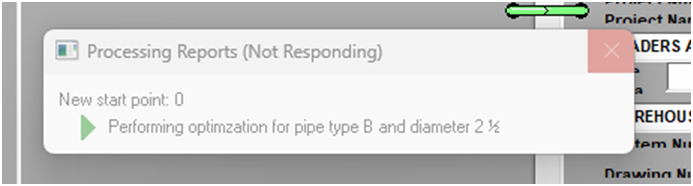
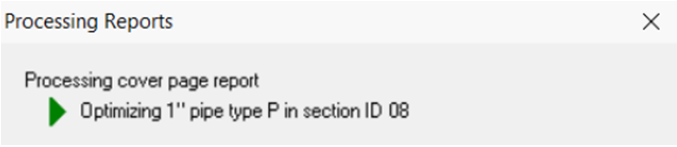
| Card 770 View | HydraLIST (Standalone) | Process | Print Reports | Freezes | HydraLIST process freezes at Processing Cover Page Report - Optimizing pipe Or freezes at processing pipe sketches Or at optimization
|
|
| Card 587 View | HydraCALC (Standalone) | Open | None | Runtime Error | When opening HydraCALC, you get the error "Invalid Property Value" Runtime 380 |
|
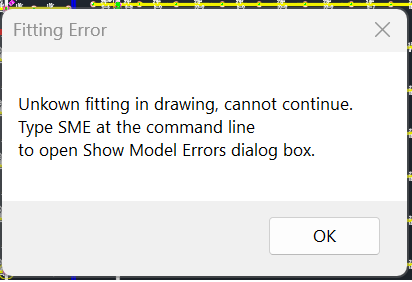
| Card 41 View | Calculations (AutoCAD Based) | Start Autocalcs | None | None | Unkown (sic) Unknown fitting in drawing, cannot continue Type SME at the command line to open 'Show Model Errors' dialog box
|
|
| Card 48 View | HydraCALC (Standalone) | Calculate | None | Runtime Error | Runtime error 70 permission denied
|
|
| Card 457 View | Launching HydraCAD (AutoCAD Based) | None | None | None | Bad update. These Files are missing system folder dependencies of HydexVB64 or HydexVB3: MFC100u.dll MSVCR100.dll MSVCP100.dll Because of this, no pass can be given nor does security work on any product. (64-bit products may work while 32-bit products don't or vice versa) Opening |
|
| Card 356 View | Launching HydraCAD (AutoCAD Based) | None | None | None | One or more toolbars cannot be found after selecting a menu or command. This happens because the toolbar is being opened 'off screen'. This usually happens when the computer has a dual monitor but the 2nd monitor isn't currently connected. |
|
| Card 569 View | HydraCALC (AutoCAD Based) | Calculate | None | None | After calculating system this message pops up..."The specified remote head does not have a k factor. Please fix your input" hydcalc.exe |
|
| Card 107 View | Calculations (AutoCAD Based) | Start Autocalcs | None | None | Step 5a.3 "Attaching Elevation of ~ to Node ~~~~ Step 5a.3 "Calculating" "The specified remote node does not have a k-factor. Please fix your input." "Calculation failed for unknown reason"
|
|
| Card 574 View | HydraCALC (AutoCAD Based) | View Calculation | None | None | - no error, when picking the view button on the result dialog- locks up machine OR - pick the View Icon at top of screen and nothing happens (no lock up) locks up freezes lock up |
|
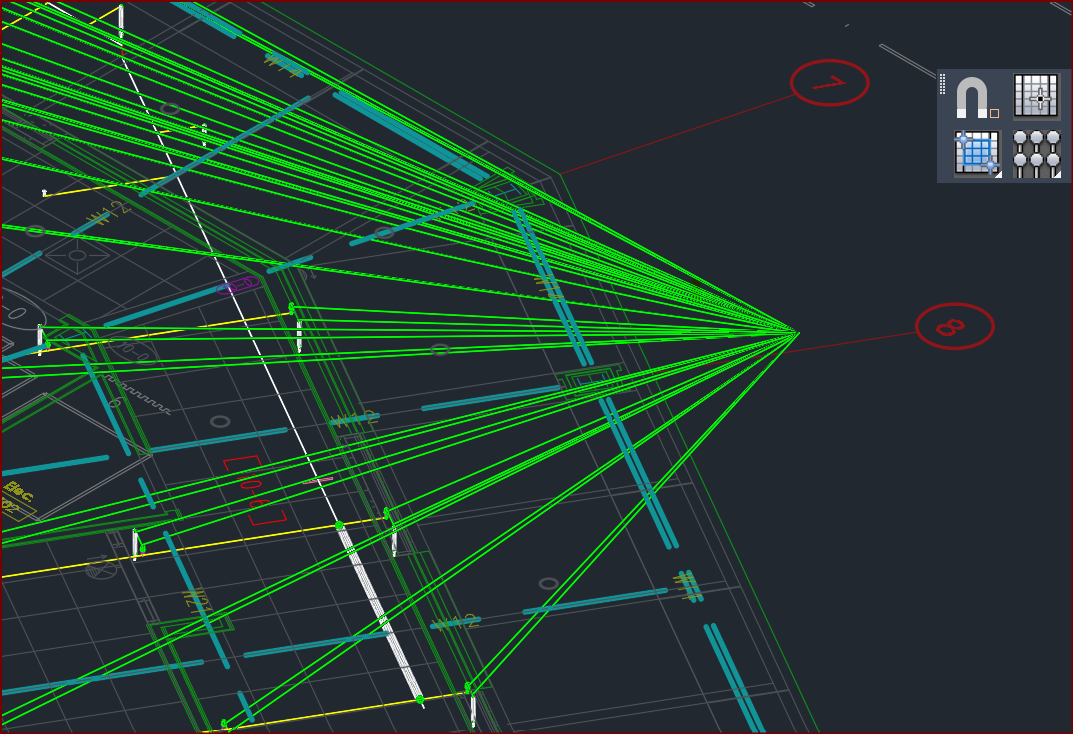
| Card 95 View | 3D Modeling (AutoCAD Based) | Show System Model | None | None | After raising to 3D, you see green lines extending from (0,0,0) to points on the drawing
You can erase the green lines and continue on, this is an annoyance and inconvenience but not really a problem. |
|
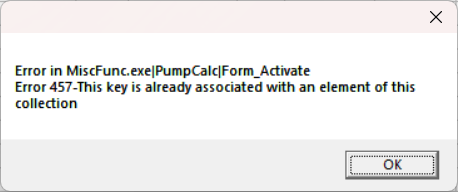
| Card 627 View | HydraCALC (AutoCAD Based) | Calculate | None | Runtime Error | Error in MiscFunc.exe|PumpCalc|Form_Activate Error 457-This key is already associated with an element of this collection
The error may also be a Runtime Error instead |
|
| Card 125 View | Calculations (AutoCAD Based) | Tyco FDT | None | Runtime 53 | After entering coversheet data for the Tyco Fluid Delivery Calc, an error message of; Miscfunc Run-time error '53' File not found *.tych |
|
| Card 736 View | HydraLIST (Standalone) | Process | None | Runtime Error | Missing install path in the registry runtime error 48 48 |
|
| Card 426 View | Piping (AutoCAD Based) | Edit Riser Nipples | None | None | When selecting the PROPERTIES palette for a riser nipple, the values are blank |
|
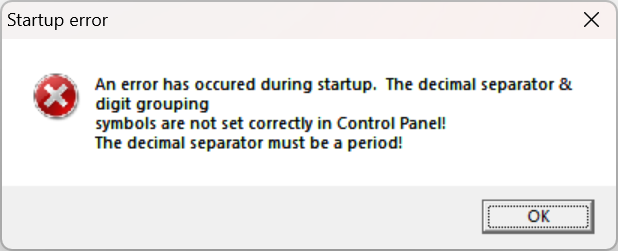
| Card 629 View | HydraCALC (AutoCAD Based) | None | None | None | When opening HydraCALC, you get this error. Startup error An error has occured during startup. The decimal separator & digit grouping symbols are not set correctly in Control Panel! The digit grouping symbol must be a comma! |
|
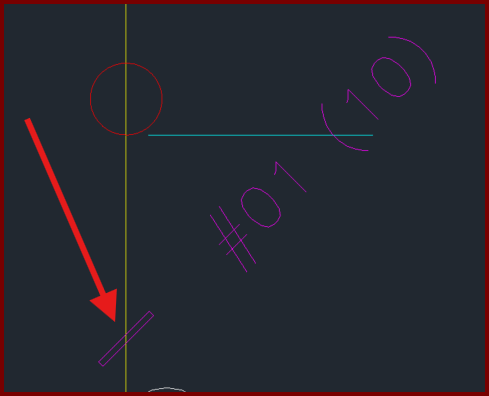
| Card 464 View | (AutoCAD Based) | None | None | None | Polylines and leaders etc. appear to be hollow.
|
|
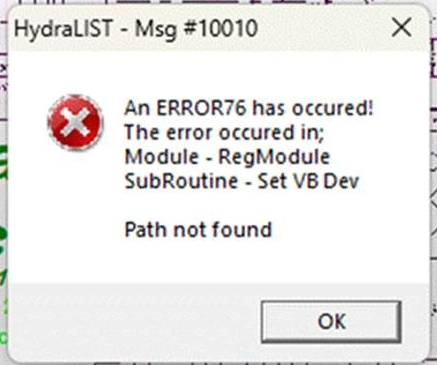
| Card 154 View | Listing (AutoCAD Based) | Start Autolist | None | None | HydraLIST - Msg #10010
An ERROR5 has occured! Invalid procedure call or argument error 5 OR An ERROR76 has occured... Path not found The error occured in; Module - RegModule SubRoutine - Set VB Dev |
|
Page: